
Account & billing
How to restore your purchases (get your PRO subscription back)
Bought the original ElkNut, before 2022? Restore Purchases won’t find it — the original was a paid app, not an in-app purchase, so there is nothing for Restore to look for. What you bought is covered by Founder access instead, and for many accounts it is already switched on.
If you already subscribed to ElkNut PRO but the app is showing you as a free member — after reinstalling, updating, or switching to a new phone — you don’t need to buy it again. Just restore your purchase and your subscription comes right back.
Before you start, make sure you’re signed in to ElkNut with the same account you used when you subscribed, and (on your phone) the same App Store / Google Play account that made the purchase.
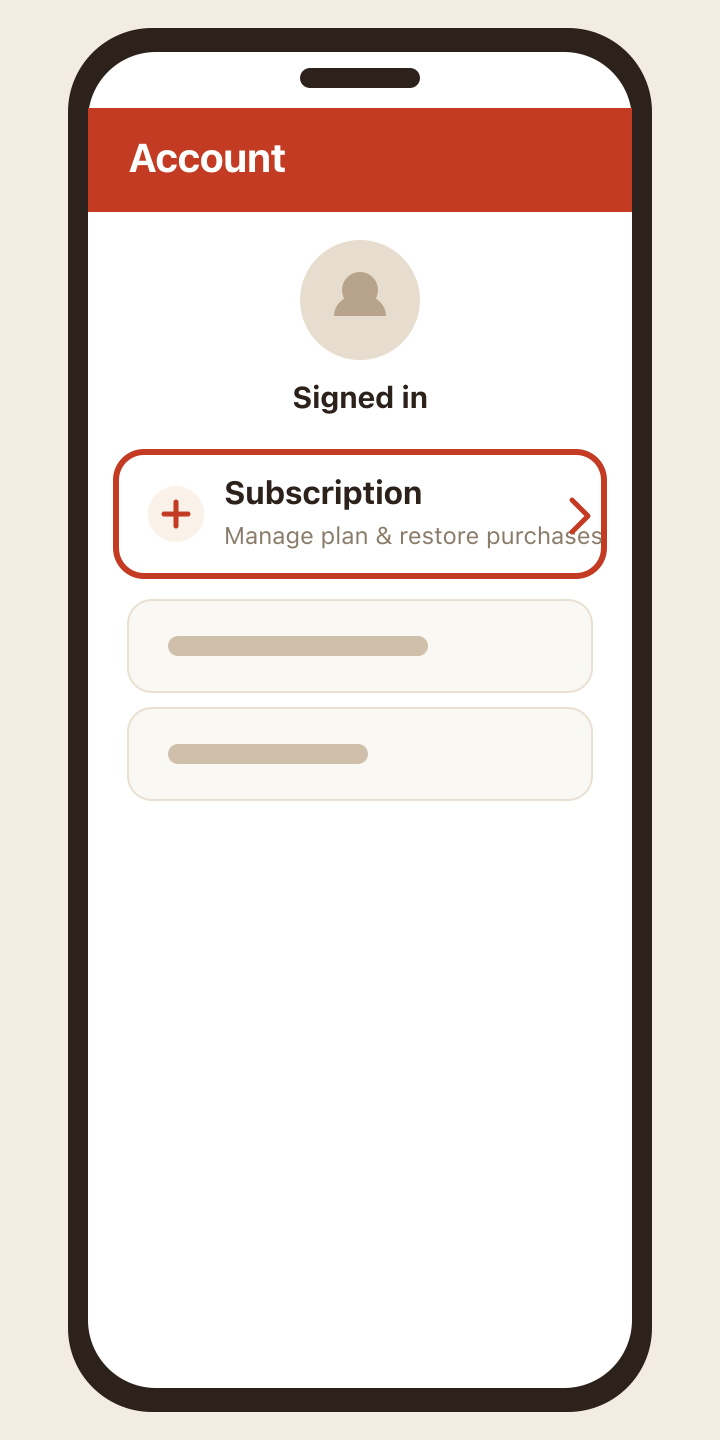
1. Open Account → Subscription
Go to the Account tab, then tap Subscription. This opens your plan details.
2. Tap “Restore Purchases”
On the Subscription screen, tap the Restore Purchases button.
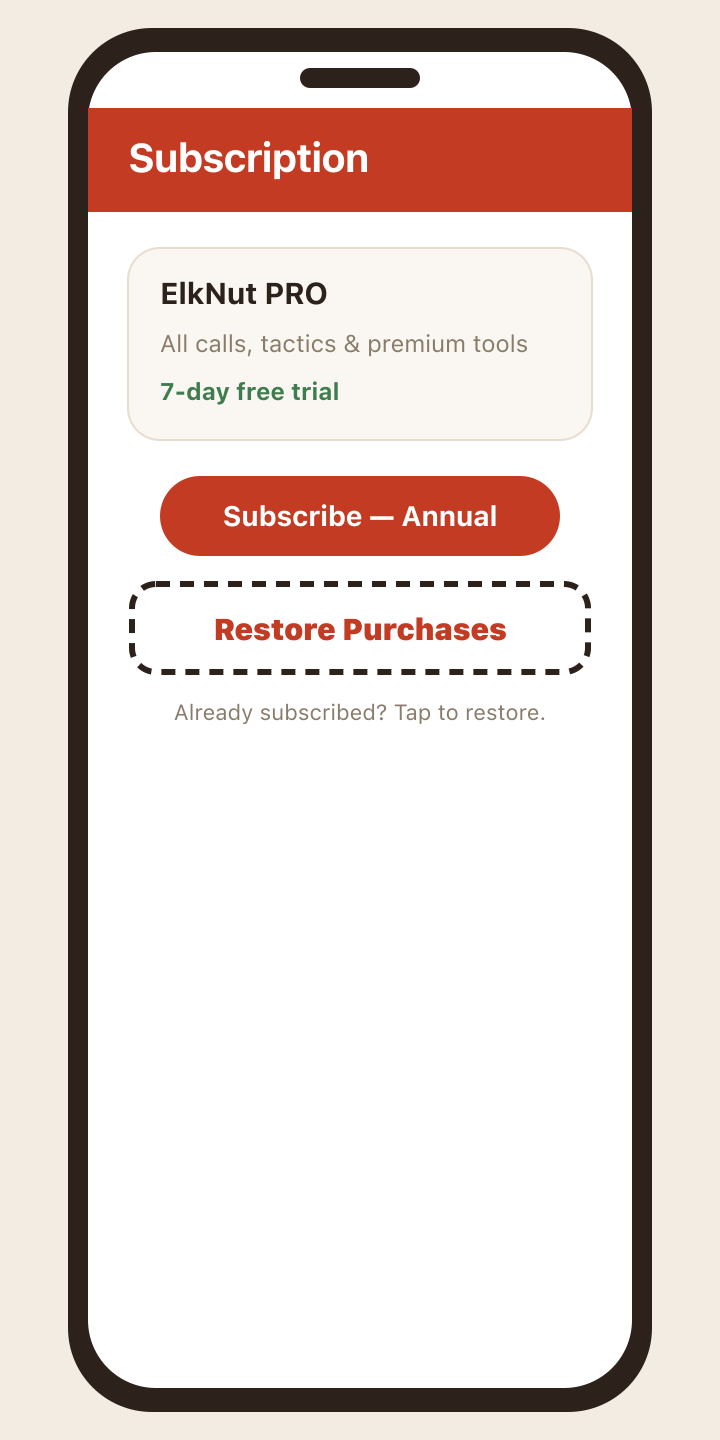
The app checks your store account for an active ElkNut subscription and reconnects it to your profile.
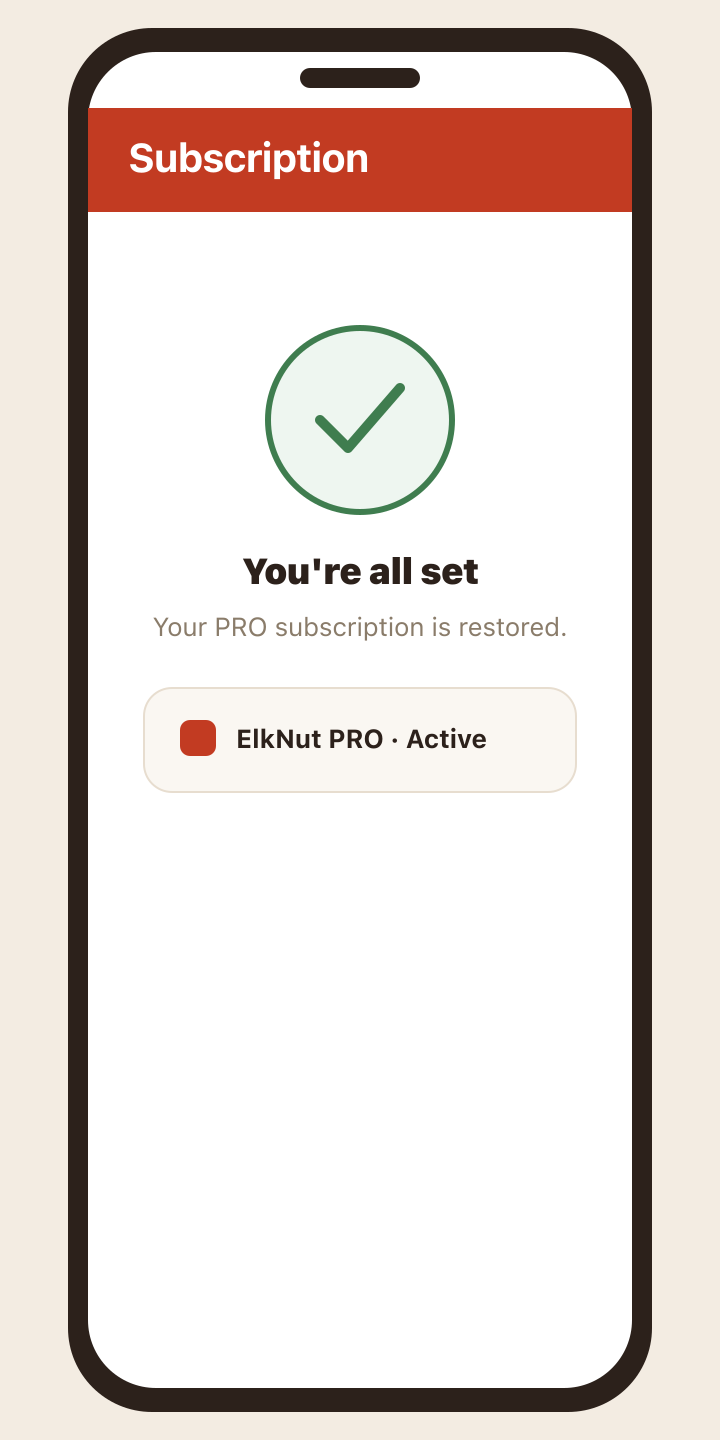
3. You’re all set
Once it finishes, you’ll see confirmation that your PRO subscription is active again, and all premium calls, tactics, and tools unlock right away.
Didn’t restore?
A few things to check:
- Signed in correctly? Restore only works when you’re logged into ElkNut with the account you subscribed on, and — on the phone — the same Apple ID or Google Play account that was charged.
- Subscribed on the web? If you purchased through elknut.app (card checkout), your PRO unlocks automatically when you sign in with that same email — there’s no store purchase to restore.
- Right device? Store purchases restore on the platform they were bought on. An App Store subscription restores on iOS; a Google Play subscription restores on Android.
Still not showing up? Reach out from Support with the email you use for ElkNut and we’ll get your subscription reconnected.